 Vela Rewards
Core Functions
Stats & User Data
Learn how to retrieve user statistics, points balances, and transaction history.
Overview
After users enroll and scan receipts, you can access their profile data:
- User Summary - Points balance and account overview
- Transaction History - List of all processed receipts
- Transaction Detail - Item-level breakdown for a specific receipt
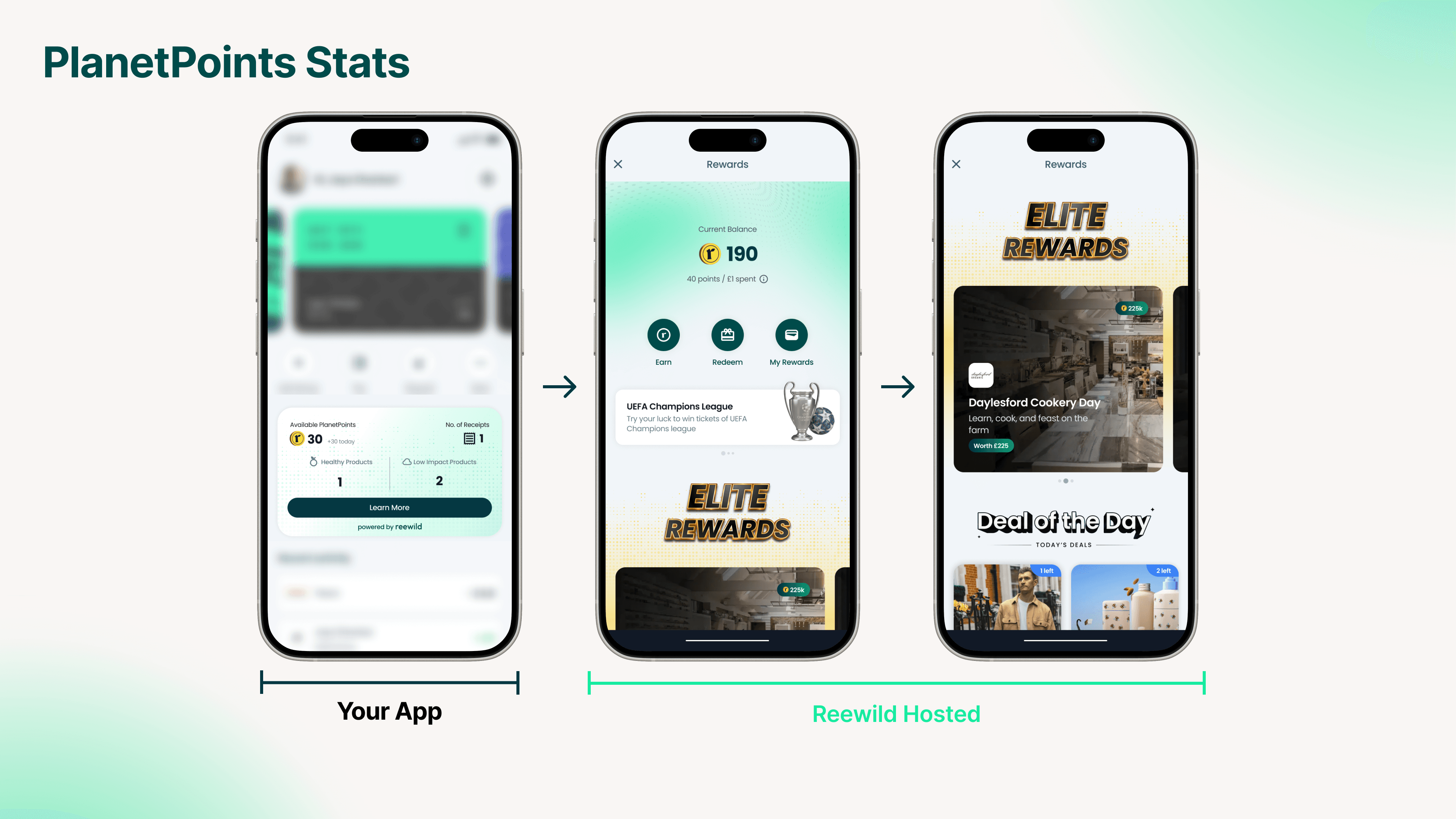
User Summary
Get a snapshot of a user's overall purchase activity.
Endpoint: GET /users/{id}/summary
Response fields:
| Field | Type | Description |
|---|---|---|
userID | String | User's unique ID |
email | String | User's email address |
lifetimePoints | Number | Total points earned (all time) |
availablePoints | Number | Current available balance |
numOfTransactions | Integer | Number of receipts processed |
totalCarbonScore | Number | Cumulative carbon impact score |
totalGreenProducts | Integer | Count of eco-friendly products |
createdAt | DateTime | Account creation date |
updatedAt | DateTime | Last update timestamp |
Transaction History
Retrieve all processed receipts for a user.
Endpoint: GET /users/{id}/transactions
Returns an array of transaction summaries including:
- Transaction ID
- Merchant name
- Purchase amount
- Points earned
- Processing timestamp
Transaction Detail
Get item-level breakdown for a specific transaction.
Endpoint: GET /users/{id}/transactions/{transaction_id}
Response includes:
| Field | Type | Description |
|---|---|---|
transaction_id | String | Transaction reference |
items | Array | List of products with ratings |
total_amount | Number | Receipt total |
total_points | Number | Points earned |
Item fields:
| Field | Type | Description |
|---|---|---|
name | String | Product name |
qty | Integer | Quantity purchased |
amount | Number | Price paid |
points | Number | Points for this item |
nutri_rating | Integer (1-5) | Nutri-Score (1=A, 5=E) |
carbon_rating | Integer (1-5) | Carbon Score (1=A, 5=E) |
Rating Display
Convert numeric ratings to letter grades:
| Rating | Grade | Meaning |
|---|---|---|
| 1 | A | Excellent |
| 2 | B | Good |
| 3 | C | Moderate |
| 4 | D | Poor |
| 5 | E | Bad |