 Vela Rewards
Creating Applications
Create applications in the Developer Console to integrate PlanetPoints into your platform.
Each organization can have a maximum of 2 applications. Application names must be unique within your organization. If you need additional applications, contact the Vela team at info@velarewards.com.
Create New Application
From the console home page, click Create Application.
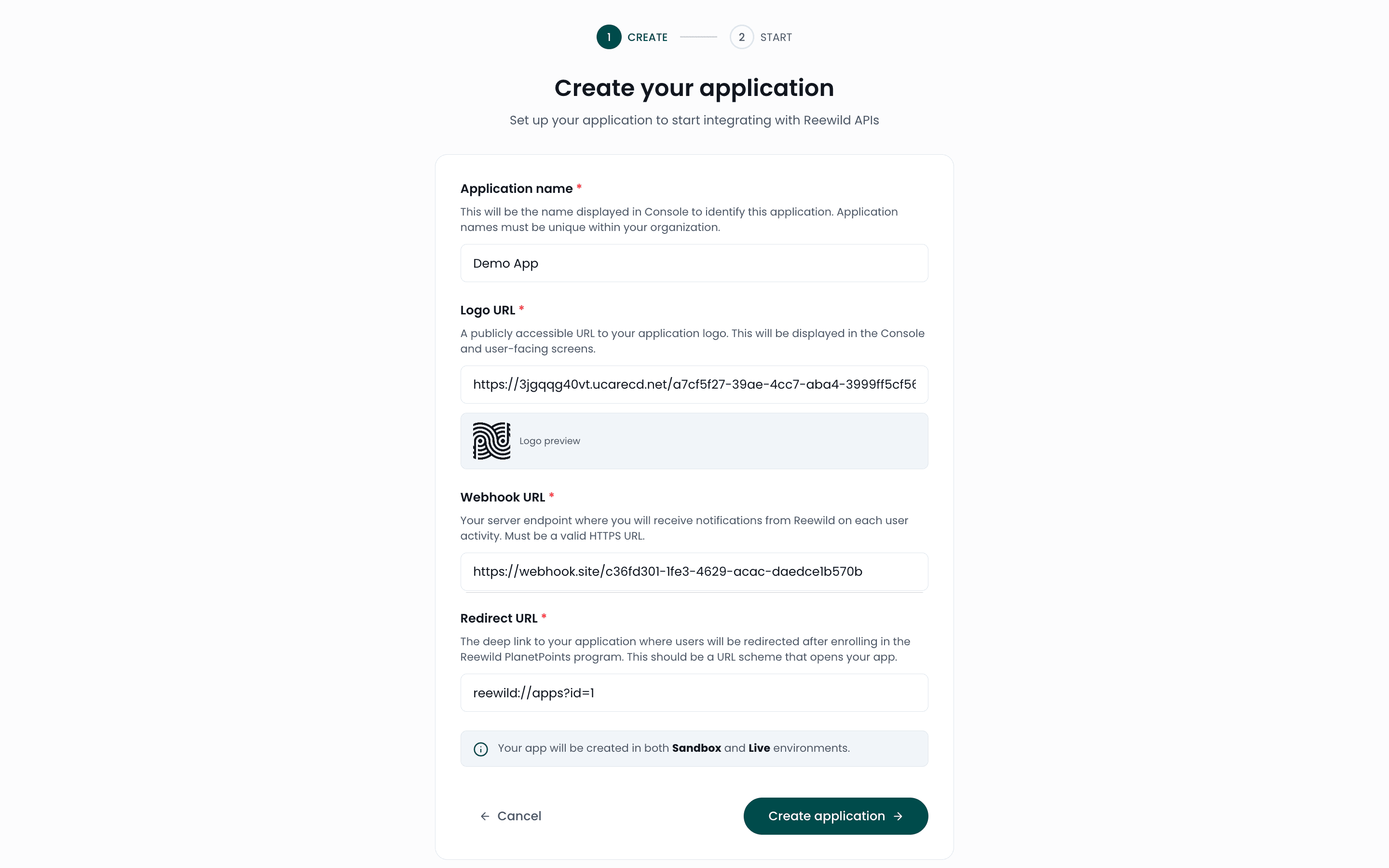
Application Settings
| Field | Description |
|---|---|
| Application Name | A descriptive name for your integration |
| Webhook URL | Endpoint to receive event notifications |
| Redirect URL | URL where users return after hosted page flows |
| Logo URL | Your logo displayed on hosted pages |
Webhook URL
Your webhook endpoint receives POST requests for events. Ensure your endpoint:
- Returns a
200status code on success - Handles duplicate events using event IDs
- Responds promptly to avoid timeouts
Redirect URL
After completing a hosted page flow, users are redirected to this URL via deepLink.
Logo URL
Provide a publicly accessible URL to your logo. This appears on hosted enrollment and receipt upload pages.
Application Created
After successful creation, you'll receive your credentials.
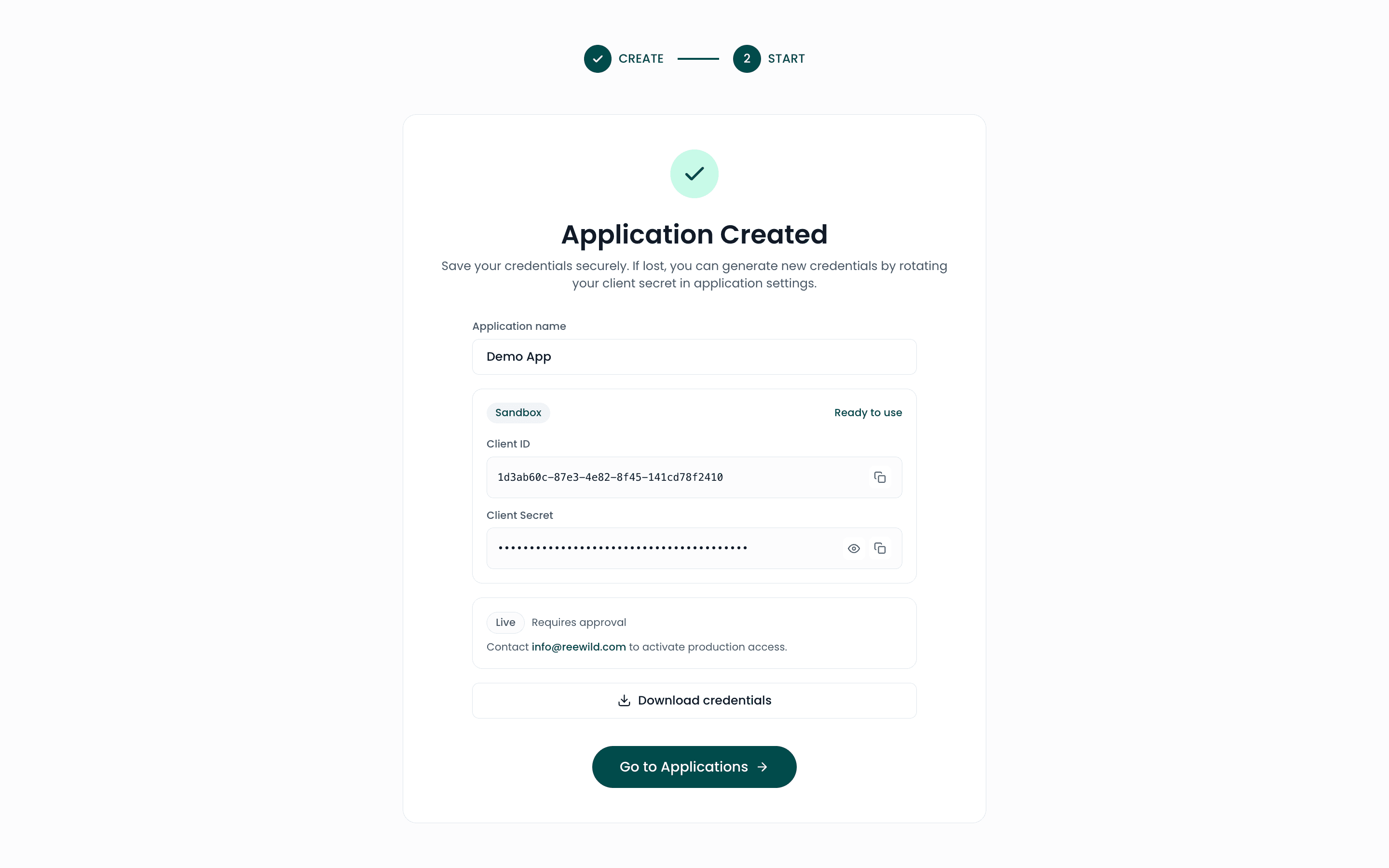
You'll receive:
| Credential | Description |
|---|---|
| Client ID | Public identifier for API requests |
| Client Secret | Private key for authentication |
Save your Client Secret immediately.
All applications are created with the following default scopes:
user.read— Read user informationuser.create— Enroll new usersreceipt.read— Read receipt datareceipt.create— Upload receipts
Rename Applications
Update your application name from the application detail page.
Environment Selection
Each application is created for a specific environment:
| Environment | Purpose |
|---|---|
| Sandbox | Development and testing |
| Production | Live user data |
Application Status
Applications can have the following statuses:
| Status | Description |
|---|---|
| Active | Application is operational |
| Suspended | Temporarily disabled |
| Pending | Awaiting approval |
| Deleted | Application has been removed |