 Vela Rewards
Developer Console
Logs & Analytics
Monitor webhook deliveries and analyze integration activity from the Developer Console.
Webhook Logs
View paginated logs of all webhook events sent to your application.
Accessing Logs
- Navigate to your application in the console
- Select the Logs tab
- View recent webhook deliveries
Log Details
Click any log entry to view full details.
Each webhook log entry includes:
| Field | Description |
|---|---|
| Event ID | Unique identifier for the webhook event |
| Event Type | The type of event that triggered the webhook |
| Webhook URL | The endpoint the webhook was sent to |
| Request Payload | Full JSON payload sent |
| First Attempted At | When the first delivery attempt was made |
| Last Attempted At | When the most recent attempt was made |
| Total Attempts | Number of delivery attempts |
| Final Status | Current delivery status |
Attempt Details
Each delivery attempt records:
- Attempt number
- Attempted timestamp
- Duration (ms)
- HTTP status code
- Response body
- Request signature
Filtering Logs
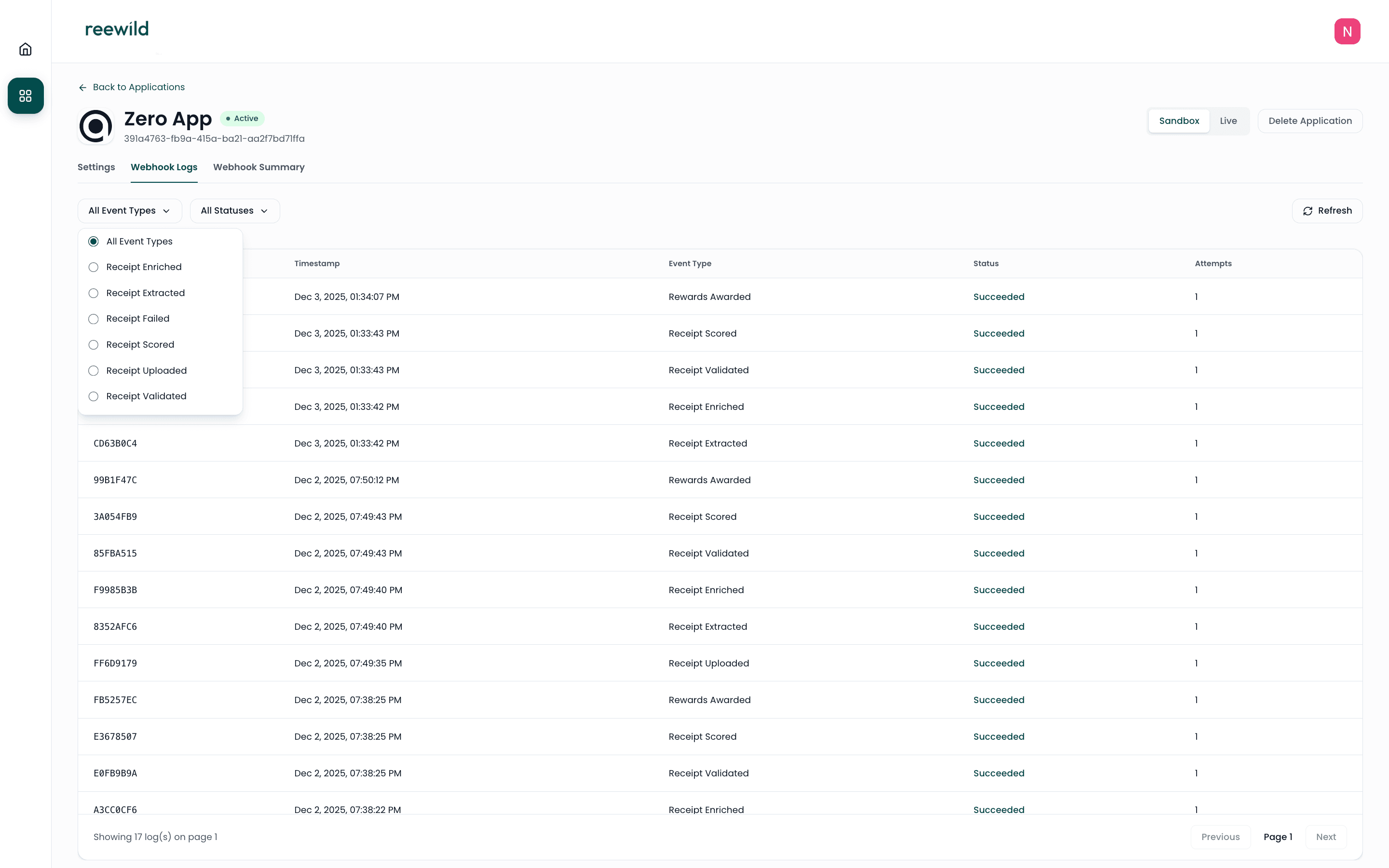
Filter by Event Type
Narrow down logs to specific event types.
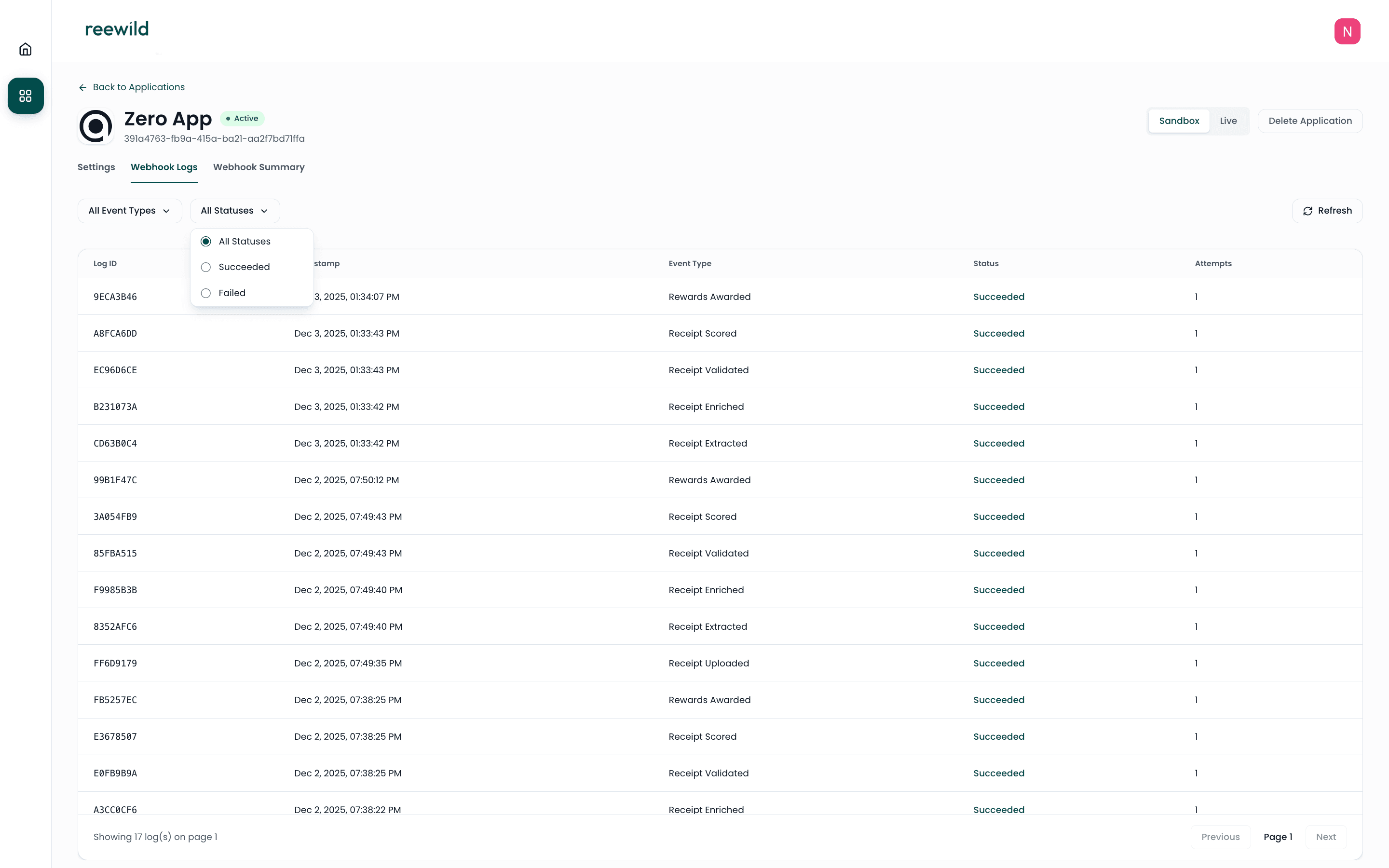
Filter by Status
View only successful or failed deliveries.
Pagination
Navigate through logs using pagination controls:
- Page Size — Number of logs per page
- Page — Current page number
Analytics Dashboard
View aggregated metrics for your integration.
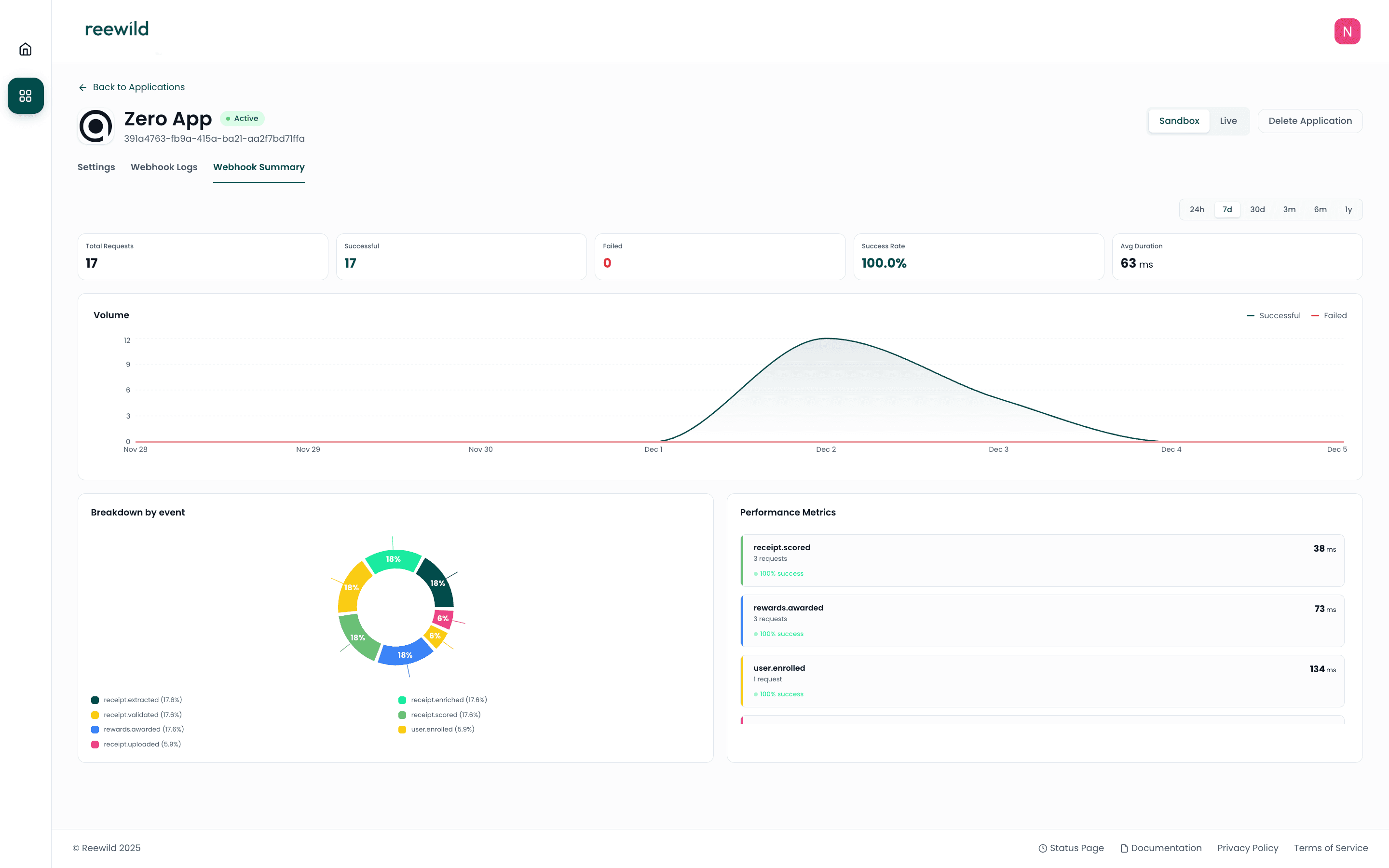
Global Metrics
| Metric | Description |
|---|---|
| Total Requests | Total number of webhook deliveries |
| Successful | Count of successful deliveries |
| Failed | Count of failed deliveries |
| Success Rate | Percentage of successful deliveries |
| Average Duration (ms) | Mean response time from your endpoint |
Breakdown by Event Type
View metrics grouped by event type:
- Total count per event type
- Success and failure counts
- Average duration per event type
Time Series Data
Graph data shows delivery trends over time with:
- Timestamp
- Success count
- Failure count
Time Period Filters
Analyze data across different time ranges:
24h— Last 24 hoursweek— Last 7 daysmonth— Last 30 days3m— Last 3 months6m— Last 6 months1y— Last year
Troubleshooting
Common Issues
Webhook returning 5xx errors
- Check your endpoint is accessible
- Verify your server can handle the request payload
- Review server logs for errors
Webhook timeout
- Ensure your endpoint responds promptly
- Process webhooks asynchronously if needed
- Return
200immediately, process data in background
Missing webhooks
- Verify webhook URL in application settings
- Check your firewall allows incoming requests
- Review logs for delivery attempts
Testing Webhooks
Use tools like webhook.site to test webhook deliveries in Sandbox mode.
- Create a temporary webhook URL
- Update your application's webhook URL
- Trigger test events
- Inspect received payloads
Best Practices
- Respond quickly — Return
200status promptly - Handle duplicates — Use event IDs to prevent duplicate processing
- Log everything — Store webhook payloads for debugging
- Monitor failures — Set up alerts for failed deliveries
- Verify signatures — Validate webhook signatures using your Webhook Signing Secret